How To Mount Connect USB External Drive Pendrive In Linux Shell Command
this tutorial will show you how to mount your usb pen drive into a linux computer and get the files from the drive so you can copy or transfer [1410], Last Updated: Sat May 18, 2024
unix
Sat Jan 13, 2007
39 Comments
19108 Visits
How To Connect Mount USB Pen Drive In Linux Unix Shell Command Tutorial
ok, today i wanted to transfer some files from my portable pin drive into my linux server. when i was using windows xp, the system would automatically recognize the usb device and would install it. but in linux, things are different.so to help anyone outhere who wants to know how to mount or connect their USB device into linux this is how you do it.
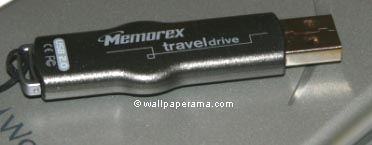
Login is root and send this command:
Now connect your USB pendrive, wait a like 15 seconds while your system recognizes the drive, then execute again this command:
Then it will display all the devices in your system
Notice the difference, now I see sda and sda1, so now i can mount the sda1 device which is my pin drive. but first i want to make sure i have a directory where i can mount the sda1. so execute this command next:
Most likely you wont see a USB or anything that you can mount the usb drive. asuming you don't have a USB directory, which is my case, i will create a directory called "usb" so to that send this command:
Now that you have created the usb directory its time to mount your device, so send this command:
Ok, you have have mounted the usb device, nos list all the files in the /mnt/usb with this command:
REMEMBER, don't remove (disconnect) your pendrive until you have unmounted the usb device, so to unmount it send this command:
ALSO: if you try to unmount the device and you get something like this:
Send this command if you get a "device is busy" message:
and try to unmount it again. If it failed it was because you were in the /mnt/usb directory so you needed to get out before you unmount it.
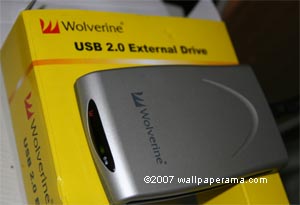
also note that i used this same procedure to mount an external drive i bought at my electronics store. I bought a Wolverine (Wolvorine) 100GB USB 2.0 External Drive and it worked great to back up some files i had.
Hope this helps - thanks to the fold at www.webune.com for their support on this question.
hope this helps
ok, today i wanted to transfer some files from my portable pin drive into my linux server. when i was using windows xp, the system would automatically recognize the usb device and would install it. but in linux, things are different.so to help anyone outhere who wants to know how to mount or connect their USB device into linux this is how you do it.
Login is root and send this command:
ls /dev
After you send this command, you will see something like this:
adsp      fd0u360     lp0       ram12       systty  tty28  tty49  ttyS3
agpgart   fd0u720     MAKEDEV   ram13       tty     tty29  tty5   urandom
apm_bios  fd0u800     mapper    ram14       tty0    tty3   tty50  vcs
audio     fd0u820     md0       ram15       tty1    tty30  tty51  vcs1
bus       fd0u830     mem       ram2        tty10   tty31  tty52  vcs2
console   floppy-fd0  mixer     ram3        tty11   tty32  tty53  vcs3
core      full        net       ram4        tty12   tty33  tty54  vcs4
disk      gpmctl      null      ram5        tty13   tty34  tty55  vcs5
dm-0      hda         nvram     ram6        tty14   tty35  tty56  vcs6
dm-1      hda1        par0      ram7        tty15   tty36  tty57  vcsa
dmfm      hda2        parport0  ram8        tty16   tty37  tty58  vcsa1
dsp       initctl     parport1  ram9        tty17   tty38  tty59  vcsa2
fd        input       parport2  ramdisk     tty18   tty39  tty6   vcsa3
fd0       kmsg        parport3  random      tty19   tty4   tty60  vcsa4
fd0u1040  log         port      root        tty2    tty40  tty61  vcsa5
fd0u1120  loop0       ppp       rtc         tty20   tty41  tty62  vcsa6
fd0u1440  loop1       ptmx      sequencer   tty21   tty42  tty63  VolGroup00
fd0u1680  loop2       pts       sequencer2  tty22   tty43  tty7   X0R
fd0u1722  loop3       ram       shm         tty23   tty44  tty8   zero
fd0u1743  loop4       ram0      snd         tty24   tty45  tty9
fd0u1760  loop5       ram1      stderr      tty25   tty46  ttyS0
fd0u1840  loop6       ram10     stdin       tty26   tty47  ttyS1
fd0u1920  loop7       ram11     stdout      tty27   tty48  ttyS2
Now connect your USB pendrive, wait a like 15 seconds while your system recognizes the drive, then execute again this command:
ls /dev
Then it will display all the devices in your system
adsp      fd0u360     lp0       ram12       stderr  tty25  tty46  ttyS0
agpgart   fd0u720     MAKEDEV   ram13       stdin   tty26  tty47  ttyS1
apm_bios  fd0u800     mapper    ram14       stdout  tty27  tty48  ttyS2
audio     fd0u820     md0       ram15       systty  tty28  tty49  ttyS3
bus       fd0u830     mem       ram2        tty     tty29  tty5   urandom
console   floppy-fd0  mixer     ram3        tty0    tty3   tty50  vcs
core      full        net       ram4        tty1    tty30  tty51  vcs1
disk      gpmctl      null      ram5        tty10   tty31  tty52  vcs2
dm-0      hda         nvram     ram6        tty11   tty32  tty53  vcs3
dm-1      hda1        par0      ram7        tty12   tty33  tty54  vcs4
dmfm      hda2        parport0  ram8        tty13   tty34  tty55  vcs5
dsp       initctl     parport1  ram9        tty14   tty35  tty56  vcs6
fd        input       parport2  ramdisk     tty15   tty36  tty57  vcsa
fd0       kmsg        parport3  random      tty16   tty37  tty58  vcsa1
fd0u1040  log         port      root        tty17   tty38  tty59  vcsa2
fd0u1120  loop0       ppp       rtc         tty18   tty39  tty6   vcsa3
fd0u1440  loop1       ptmx      sda         tty19   tty4   tty60  vcsa4
fd0u1680  loop2       pts       sda1        tty2    tty40  tty61  vcsa5
fd0u1722  loop3       ram       sequencer   tty20   tty41  tty62  vcsa6
fd0u1743  loop4       ram0      sequencer2  tty21   tty42  tty63  VolGroup00
fd0u1760  loop5       ram1      sg0         tty22   tty43  tty7   X0R
fd0u1840  loop6       ram10     shm         tty23   tty44  tty8   zero
fd0u1920  loop7       ram11     snd         tty24   tty45  tty9
Notice the difference, now I see sda and sda1, so now i can mount the sda1 device which is my pin drive. but first i want to make sure i have a directory where i can mount the sda1. so execute this command next:
ls /mnt
Most likely you wont see a USB or anything that you can mount the usb drive. asuming you don't have a USB directory, which is my case, i will create a directory called "usb" so to that send this command:
mkdir /mnt/usb
Now that you have created the usb directory its time to mount your device, so send this command:
mount -t auto /dev/sda1 /mnt/usb
Ok, you have have mounted the usb device, nos list all the files in the /mnt/usb with this command:
ls /mnt/usb
REMEMBER, don't remove (disconnect) your pendrive until you have unmounted the usb device, so to unmount it send this command:
umount /mnt/usb
ALSO: if you try to unmount the device and you get something like this:
[root@host usb]# umount /mnt/usb
umount: /mnt/usb: device is busy
umount: /mnt/usb: device is busy
Send this command if you get a "device is busy" message:
cd /
and try to unmount it again. If it failed it was because you were in the /mnt/usb directory so you needed to get out before you unmount it.
also note that i used this same procedure to mount an external drive i bought at my electronics store. I bought a Wolverine (Wolvorine) 100GB USB 2.0 External Drive and it worked great to back up some files i had.
Hope this helps - thanks to the fold at www.webune.com for their support on this question.
hope this helps
sanish
Mon Feb 16, 2009
sanish
this is very helpful to me.thanks
jagdeep
Sun Oct 11, 2009
it really helpfull information for me
thanks for it
thanks for it
hakeem
Sun May 13, 2012
thanks a lot for information...k that work going..
Dhruvak
Sun Feb 26, 2012
Thanks for nice explanation.
suba
Mon Dec 26, 2011
Thanks a lot! This article is very useful to me.
https://www.wallpaperama.com/forums/how-to-mount-connect-usb-external-drive-pendrive-in-linux-shell-command-t714.html
https://www.wallpaperama.com/forums/how-to-mount-connect-usb-external-drive-pendrive-in-linux-shell-command-t714.html
Related Content
- Quotacheck: Cannot Find Filesystem To Check Or Filesystem Not Mounted With Quota Option.
- Getting Linux Error mount: unknown filesystem type 'ntfs'
- Mounting External USB Drive In Linux With Command Line
- How To Mount CD Rom Drive In Linux - Shell Terminal Command
- My Bank Of America Account Shows $888,888.88 Amount
- Limit The Number Of Characters In A String Variable
- What Is The Maximum Amount Of Memory A Script May Consume
- PHP Code How To Display Only A Certain Amount Of Characters Limit Letters
- How To Allow Only Certain Amount Of Characters In A Web Form PHP HTML
- Switchroot: Mount Failed: No Such File Or Directory