How To Check If I Have Php Installed In My Linux Server Computer
This Page Contains information about How To Check If I Have Php Installed In My Linux Server Computer By wallpaperama in category Linux Hosting with 0 Replies. [435], Last Updated: Tue Feb 07, 2023
wallpaperama
Mon May 21, 2007
0 Comments
2417 Visits
hi, my name is hostman,
i am a support rep with Webune.com. webune provides dedicated web hosting servers to many customer and one of the questions i get often is how can they check if php was installed in their server. well, the answer is simple, login to your server, and at the shell prompt type this command to display
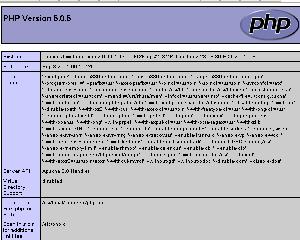
sow what happens if you don't have access to shell in your server, well, there is another way, just upload a phpinfo() to your website, and if you see a webpage which looks like the picture below, then you do have php, otherswise, you don't.
if you don't, or want to have PHP, go to Webune.com and signup with a PHP Hosting Plan
Webune Support - World Class IT Support
i am a support rep with Webune.com. webune provides dedicated web hosting servers to many customer and one of the questions i get often is how can they check if php was installed in their server. well, the answer is simple, login to your server, and at the shell prompt type this command to display
php -v
sow what happens if you don't have access to shell in your server, well, there is another way, just upload a phpinfo() to your website, and if you see a webpage which looks like the picture below, then you do have php, otherswise, you don't.
if you don't, or want to have PHP, go to Webune.com and signup with a PHP Hosting Plan
Webune Support - World Class IT Support