What Code Do I Need To Create Make A Phpinfo.php File
This Page Contains information about What Code Do I Need To Create Make A Phpinfo.php File By administrator in category Tutorial And Guides with 1 Replies. [1392], Last Updated: Sat May 18, 2024
administrator
Thu Jul 20, 2006
1 Comments
2616 Visits
How to make a phpinfo.php file tutorial
The purpose of a phpinfo.php file is to show you how your php is configured in your server. To create one all you have to do is the following:
The only requirement for this to work on your web pages is that you have PHP in your hosting. IF you don't have php, you can signup with www.webune.com for a php plan. if you have php, continue on...
STEP 1: Open your favorite text editor like notepad. I am using notepad in Windows XP for this tutorial.
STEP 2: Copy and paste the following code into a blank notepad:
STEP 3: Save this file as phpinfo.php
STEP 4: Upload file to your website using your favorite FTP Client.
STEP 5: Once you have uploaded the phpinfo.php file. Pull the file with your browser to the location of your site where you uploaded the phpinfo.php file (Example: example.com/phpinfo.php)
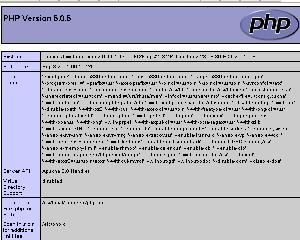
STEP 6: After that, If you have PHP installed, you should see all the PHP configurations. All these configurations are located in a file called php.ini. For Redhat and Fedora Linux distributions its located in /etc/php.ini The page should look something like the image below
The purpose of a phpinfo.php file is to show you how your php is configured in your server. To create one all you have to do is the following:
The only requirement for this to work on your web pages is that you have PHP in your hosting. IF you don't have php, you can signup with www.webune.com for a php plan. if you have php, continue on...
STEP 1: Open your favorite text editor like notepad. I am using notepad in Windows XP for this tutorial.
STEP 2: Copy and paste the following code into a blank notepad:
CODE:
<?php
phpinfo();
?>
phpinfo();
?>
STEP 3: Save this file as phpinfo.php
STEP 4: Upload file to your website using your favorite FTP Client.
STEP 5: Once you have uploaded the phpinfo.php file. Pull the file with your browser to the location of your site where you uploaded the phpinfo.php file (Example: example.com/phpinfo.php)
STEP 6: After that, If you have PHP installed, you should see all the PHP configurations. All these configurations are located in a file called php.ini. For Redhat and Fedora Linux distributions its located in /etc/php.ini The page should look something like the image below
Johnny
Fri Oct 26, 2007
https://www.wallpaperama.com/forums/how-can-do-i-you-create-make-a-phpinfo-php-file-t22.html